RS.GE waybills — without logging in to rs.ge separately
GTSoft is connected directly to the Georgian Revenue Service. A waybill is sent from wherever the goods move, and an incoming waybill becomes a stock receipt by itself.
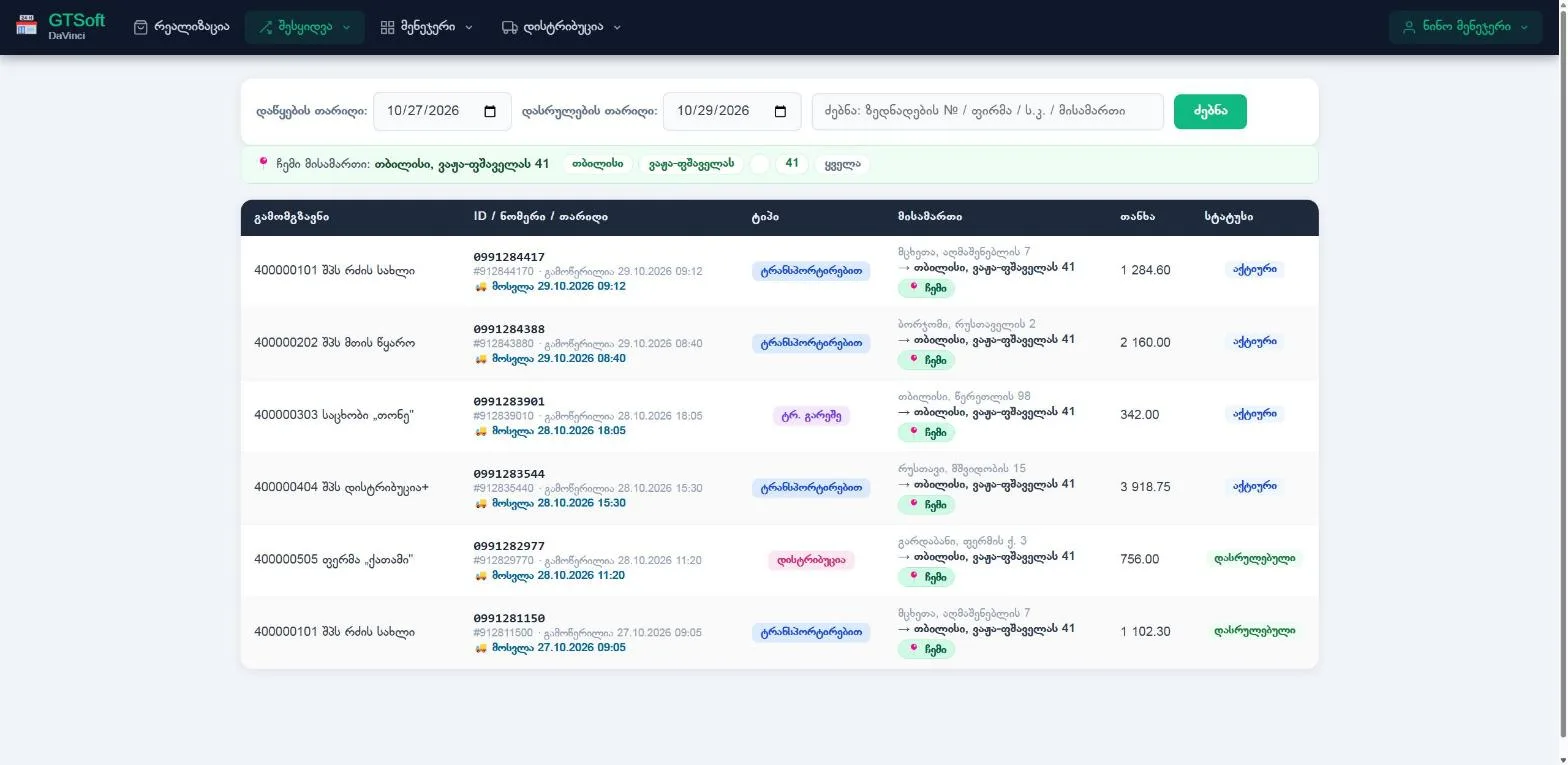
Sending waybills
- From a sale — at the till or from the sales list.
- When transferring between branches.
- In distribution — one load split into several deliveries with sub-waybills.
- Return waybills to suppliers.
Receiving waybills
- The supplier's waybill comes in and becomes a stock receipt.
- If the waybill was later corrected on RS.GE, the program shows the differences and you decide line by line.
- Supplier barcode mappings are stored and applied to later waybills automatically.
Settings and checks
- Look up a buyer's TIN in RS.GE.
- RS.GE credentials per organization or per branch.
- Fiscal summary: sales and waybills in one picture.
Frequently asked questions
Where do I enter my RS.GE username and password?
In the cabinet — at organization or branch level. You can test the connection there too.
Can one load be split between several customers?
Yes. In distribution the main waybill is split into sub-waybills, one per delivery.
What if a supplier changes a waybill?
The program shows the change, and you decide line by line whether to accept it.