Reports: how much you sold and how much you earned
Every sale is recorded with its cost price, so profit is not an estimate — it is based on the real purchase price, for every branch and every cashier.
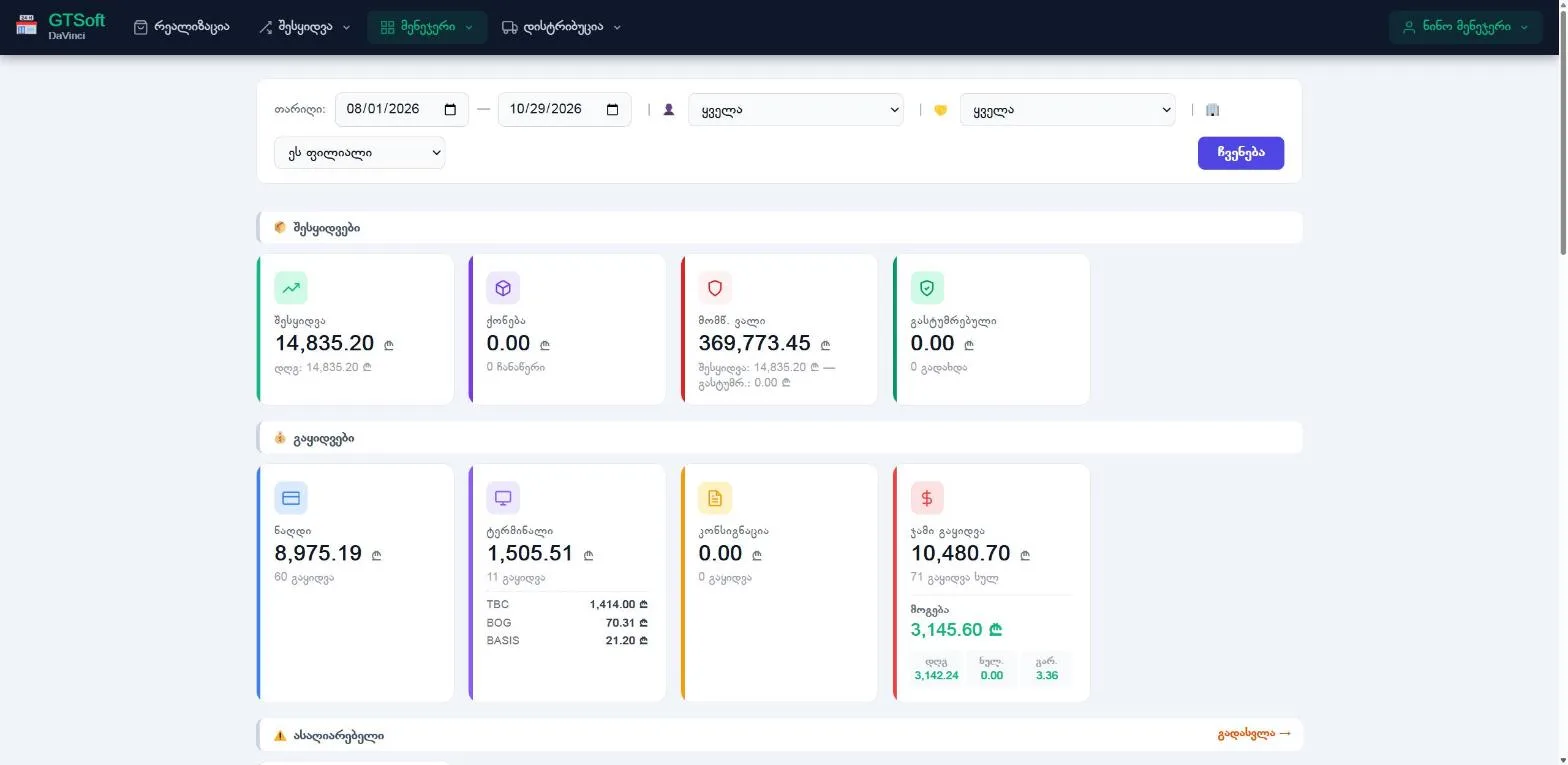
Sales and profit
- Sales by date, user, customer and payment type.
- Profit at cost price (FIFO).
- Returns, discounts and promotion sales shown separately.
- Export to Excel.
Money
- Cash control: how much should be in the drawer.
- History of opening and closing the cash register.
- Expenses.
- Customer and supplier debts.
Who sees what
- A cashier only sees their own sales unless you allow more.
- Cost price and profit are hidden behind a separate permission.
- The accountant role sees all the numbers but cannot change anything.
- All branches together or each one separately.
Frequently asked questions
Can I give my accountant access without letting them change anything?
Yes, that is what the accountant role is for: it sees stock, sales, profit, debts and the cash register, but cannot sell, change prices or write off stock.
Can I export a report to Excel?
Yes, the detailed report can be downloaded as an Excel file.